

Ownership & maintenance
Smart locks: start with the door, then plan access
Compare replacement deadbolts and interior retrofits, read hardware ratings carefully, and plan for batteries, permissions and digital keys.
Our articles are a starting point, not a professional assessment of your home.
DraftA work in progress, prepared by the HouseIQ.pro team.Editorial and professional review are not yet complete.
The Big Picture
A smart lock should make authorized access easier while preserving dependable locking and exit. Mechanical fit and permission come before app features.
The door is part of the security system
A smart deadbolt adds a motor or electronic credential to a physical locking arrangement. It does not repair a loose frame, a misaligned strike or a door that must be lifted to latch. Before comparing apps, observe whether the existing door closes squarely and the bolt operates freely. A locksmith or qualified door contractor can distinguish an adjustment problem from unsuitable hardware.
Record the existing lock type, door thickness, bore arrangement and available interior space. A decorative handle, narrow stile or multipoint mechanism may change compatibility. Ask the installer to confirm the entire arrangement, including safe exit and any fire-rated door requirements. Buying a popular lock first and forcing the door to accommodate it can turn a convenient upgrade into a more complicated building alteration.
Replacement and retrofit locks change different parts
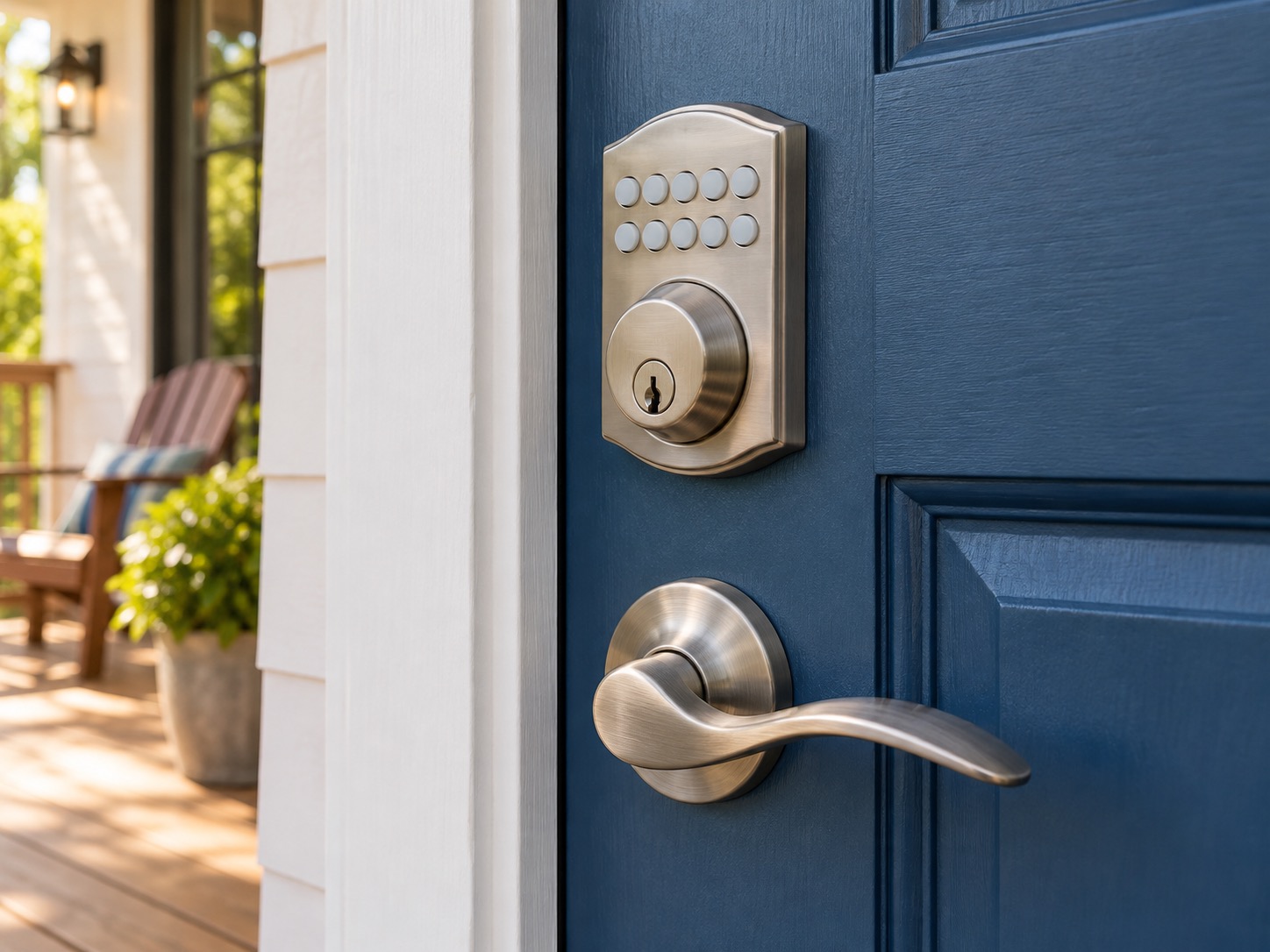
A replacement smart deadbolt changes the locking hardware through the door and often adds an exterior keypad. An interior retrofit typically replaces or operates the inside thumbturn while retaining compatible exterior hardware and its mechanical key. That can reduce visible changes, but compatibility is product-specific; not every deadbolt, cylinder or multipoint lock accepts the same adapter.
August's documented interior retrofit is one example that retains existing keys on compatible single-cylinder deadbolts, not a HouseIQ recommendation. Ask for the exact compatibility list and what remains untouched. Retaining a key is useful for continuity, but it does not by itself settle rental permission, fire-door compliance or the security of the existing cylinder. Treat those as separate checks rather than assuming the word retrofit answers them all.
Keypads, phones and fingerprints are different credentials
A keypad permits entry with a code; a phone credential may depend on Bluetooth, an account or a remote connection; a biometric reader compares a presented fingerprint with enrolled data. Some locks combine several methods. Choose around the people who need access, including anyone who does not carry a compatible phone or cannot comfortably operate a small control.
Make a practical household scenario list: a child coming home, a guest arriving early, a caregiver with limited hours, or someone with wet hands. Ask how each scenario works when the network is unavailable. Temporary access should be easy to revoke without changing everyone's credentials. Do not assume fingerprint access eliminates every fallback; the lock's instructions should explain what happens when recognition fails, batteries weaken or a credential needs replacing.
Read the named standard, not just a grade badge
ANSI/BHMA ratings concern tested hardware performance, and the exact standard and product category matter. Numeric grades seen on some hardware are not the same presentation as the residential BHMA Secure Home label. That residential program separately evaluates security, durability and finish. Ask for the certification of the exact model and the meaning of each rating rather than translating an isolated marketing badge into a whole-home security promise.
A finish rating matters for exposed or coastal doors; repeated-operation testing addresses a different concern. Neither tells you whether the app receives security updates or whether a household code has been shared too widely. Compare physical certification and digital support separately. A well-rated lock still relies on sound installation and an appropriate door assembly to deliver its intended function.
Plan for low batteries and lost connections
Before relying on the lock, learn its low-battery warning, specified battery type and emergency access method. Products differ: some retain a mechanical key, while others use an external emergency-power contact or another documented approach. Follow the manufacturer's method rather than improvising an electrical connection. Store any necessary backup key where an authorized person can reach it without depending on the failed lock.
Separate a power problem from an internet problem. A battery-operated lock may retain local operation during a household power outage even when remote access is unavailable, but this must be checked for the chosen model. Test normal entry and exit with everyone who uses the door. A convenient feature is only dependable when people know what to do if that feature is unavailable.
Manage digital keys as carefully as physical ones
Use a unique account password, enable supported multifactor authentication and keep the lock's software and phone app current. Give people their own appropriate access rather than sharing an administrator login. The FTC's connected-device guidance emphasizes controlling access and maintaining security over the product's life. For a household, that translates into asking who can unlock, who can add users and who can change settings.
Review old guest access periodically and revoke it when it is no longer needed. Ask where activity logs and biometric information are stored, how long they are retained and how an account is deleted or transferred. A log can reveal household routines, so decide who needs to see it. Check the manufacturer's support policy and what functions remain if a cloud service or subscription ends.
Renter friendly does not mean permission free
An interior retrofit may preserve exterior appearance and the existing key, but marketing language does not override tenancy rules, a lease or building requirements. Obtain the necessary written approval before changing the locking arrangement. Clarify authorized landlord access, emergency entry, who manages administrator rights, and restoration when moving out. Shared building entrances require an especially different discussion from a private detached-house door.
As a specific regional example, Ontario's Landlord and Tenant Board tells tenants covered by its guidance not to change an entry locking system without the landlord's permission. Other jurisdictions and exceptions differ, so use local tenancy advice rather than treating that example as universal law. If permission is uncertain, ask the responsible authority or a local tenancy adviser before purchasing or installing equipment.
Make commissioning and handover part of the purchase
Ask the installer to demonstrate smooth locking, reliable door closure, permitted exit and each intended access method. Verify the distinction between a bolt being extended and the door actually being closed; a status feature may need its own sensor and setup. Review automatic locking carefully so it fits the household's routine rather than creating surprise lockouts.
Save the model, installation date, certification information, instructions and support contact in the home record. Keep secret codes and passwords in an appropriate secure place rather than a shared maintenance note. When occupants change, review physical keys, digital users, integrations and account ownership together. A lock upgrade is complete when the right people can use it reliably and previous access can be removed cleanly, not merely when the app reports a successful pairing.
Questions worth asking
- Does the existing door and deadbolt fit this exact model?
- How does everyone enter and exit during a battery or network problem?
- Which physical certification and software support apply?
- Do I have the required permission and a move-out plan?
Sources
- BHMA BHMA Certified Secure Home
- BHMA Learn about the Label
- August Home August Wi-Fi Smart Lock
- US Federal Trade Commission Careful Connections: Keeping the Internet of Things Secure
- Ontario Landlord and Tenant Board Information for New Tenants